
Terraform interview architecture diagram
How Terraform works visually
This diagram explains the Terraform flow from Developer or DevOps engineer to configuration files, Terraform Core, state, providers, and multi-cloud infrastructure.
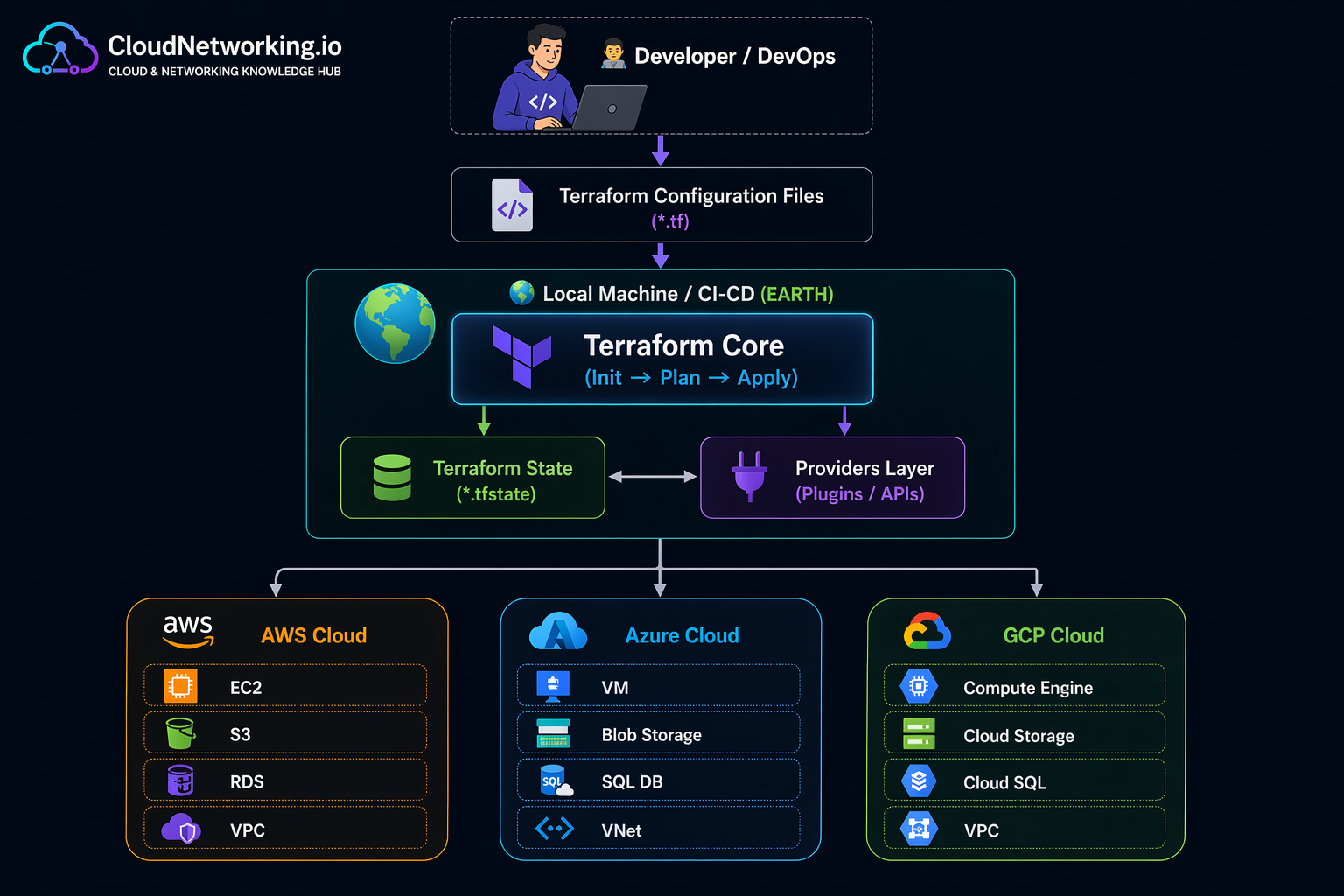
Interview explanation: Terraform reads configuration files, initializes providers, compares desired configuration against state and real infrastructure, generates a plan, and applies approved changes using provider APIs.
Beginner Terraform interview questions
Beginner questions and answers
Intermediate Terraform interview questions
Intermediate questions and answers
Advanced Terraform interview questions
Advanced questions and answers
Scenario-based Terraform interview questions
Scenario questions and answers
Important Terraform commands
Commands every Terraform candidate should know
Terraform interview videos
Terraform interview learning videos
These videos help visitors revise Terraform interview topics with practical explanations.
Quick revision
Terraform interview quick revision
Final interview tip: Do not only say commands. Explain why you use the command, what risk it avoids, and how you would use it safely in a team or production environment.